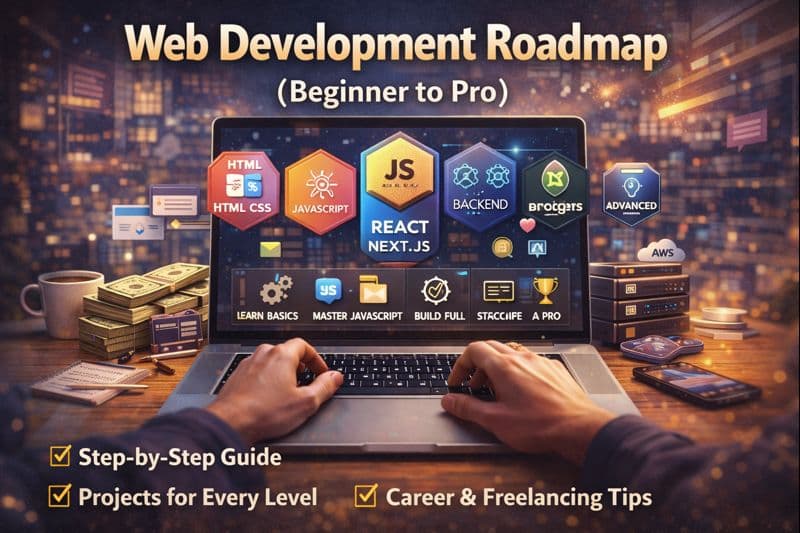
Web Development Roadmap (Beginner to Pro) – Complete 2026 Guide
Web development is one of the most in-demand skills in 2026, and for good reason. Whether you're aiming for a high-paying job at a tech company, building a sustainable freelancing career, or creating your own startup, web development opens doors to unlimited opportunities.
This comprehensive roadmap will guide you from absolute beginner to professional developer through a proven, step-by-step path. This isn't just theory—it's a practical, realistic, and beginner-friendly guide based on real industry requirements and what actually gets developers hired in 2026.
If you're ready to transform from a complete novice into a job-ready web developer, let's dive in.
How to Use This Roadmap Effectively
Before we start, here's how to approach this learning path for maximum success:
Follow the phases in order — Each phase builds on the previous one. Skipping ahead creates knowledge gaps that will slow you down later.
Build projects at every stage — Don't just watch tutorials. Code along, then build your own variations.
Quality over speed — It's better to master one concept deeply than to rush through multiple topics superficially.
Stay consistent — Dedicate 1-3 hours daily rather than cramming 12 hours on weekends.
Join communities — Connect with other learners on Discord, Reddit, or Twitter for support and accountability.
Now, let's break down your journey into clear, actionable phases.
🧠 Phase 1: Web Development Basics (Beginner Level)
Timeline: 4-6 weeks
Before diving into frameworks or backend development, you need to master the fundamentals. These foundational skills will serve you throughout your entire career.
✅ HTML (Structure of the Web)
HTML is the skeleton of every website. It defines the structure and content that users see.
What You Need to Learn:
Semantic HTML — Use meaningful tags like <header>, <footer>, <section>, <article>, <nav>, and <aside> instead of generic <div> tags. This improves SEO and accessibility.
Forms & Inputs — Master form elements including text inputs, checkboxes, radio buttons, select dropdowns, textareas, and submit buttons. Understand form validation attributes like required, pattern, and type.
SEO-Friendly Markup — Learn proper heading hierarchy (H1-H6), meta tags, structured data, and how to write HTML that search engines love.
Accessibility Basics — Implement ARIA labels, proper alt text for images, keyboard navigation support, and semantic structure for screen readers.
Practice Projects:
- Personal bio page with semantic HTML
- Contact form with validation
- Blog article layout with proper heading structure
📌 Goal: Create clean, well-structured web pages that are accessible and SEO-friendly.
Time Investment: 1-2 weeks
✅ CSS (Styling & Layout)
CSS transforms your HTML structure into visually appealing, responsive designs.
Core Concepts to Master:
Box Model — Understand content, padding, border, and margin. This is fundamental to all CSS layout work.
Flexbox — Master one-dimensional layouts for navigation menus, card layouts, and centering elements. Learn justify-content, align-items, flex-direction, and flex-wrap.
Grid — Learn two-dimensional layouts for complex page structures. Understand grid-template-columns, grid-template-rows, gap, and grid-area.
Responsive Design — Create layouts that work on all screen sizes using media queries, relative units (rem, em, %), and mobile-first approach.
Animations & Transitions — Add polish with smooth transitions, keyframe animations, and transform properties.
Modern CSS Tools:
CSS Variables — Use custom properties for consistent theming and easy maintenance.
Media Queries — Master breakpoints for mobile, tablet, and desktop views.
Modern Layout Techniques — Container queries, aspect-ratio, clamp(), and modern CSS features.
Practice Projects:
- Responsive landing page
- Card component library
- Animated navigation menu
- Grid-based photo gallery
📌 Goal: Build responsive, visually appealing websites that work flawlessly across all devices.
Time Investment: 2-3 weeks
✅ Basic Git & GitHub
Version control is essential for all professional developers. Start learning it early.
Essential Git Skills:
Basic Commands — Master git init, git add, git commit, git push, git pull, git clone, git status, and git log.
Branching — Learn to create, switch, and merge branches. Understand the main/master branch workflow.
GitHub Repositories — Create repositories, add README files, and manage your projects publicly.
Collaboration Basics — Understand pull requests, forking, and contributing to open source.
Best Practices:
- Write clear, descriptive commit messages
- Commit small, logical changes frequently
- Never commit sensitive information (API keys, passwords)
- Use .gitignore files properly
Practice Tasks:
- Create a GitHub account and complete your profile
- Upload your HTML/CSS projects to GitHub
- Write professional README files for each project
- Make your first contribution to an open-source project
📌 Goal: Manage and showcase your code professionally using industry-standard version control.
Time Investment: 1 week (ongoing practice)
⚙️ Phase 2: JavaScript (Core of Web Development)
Timeline: 8-12 weeks
JavaScript is the heart of modern web development. This is where websites transform from static pages into dynamic, interactive applications.
✅ JavaScript Fundamentals
Core Concepts:
Variables & Data Types — Understand let, const, var, strings, numbers, booleans, arrays, and objects.
Functions — Master function declarations, expressions, arrow functions, parameters, return values, and scope.
Control Flow — Learn if/else statements, switch cases, ternary operators, and logical operators.
Loops — Master for loops, while loops, forEach, map, filter, and reduce.
Arrays & Objects — Deep dive into array methods, object manipulation, destructuring, and the spread operator.
DOM Manipulation — Select elements, modify content, change styles, add/remove classes, and create elements dynamically.
Event Handling — Attach event listeners for clicks, form submissions, keyboard input, and mouse movements.
ES6+ Modern Features:
- Template literals
- Default parameters
- Rest and spread operators
- Destructuring assignment
- Modules (import/export)
- Optional chaining
- Nullish coalescing
✅ Advanced JavaScript Concepts
Once you've mastered the basics, level up with these crucial advanced topics:
Closures — Understand function scope, lexical environment, and how inner functions access outer variables.
Hoisting — Learn how JavaScript processes variable and function declarations.
The 'this' Keyword — Master context binding in different scenarios (methods, functions, arrow functions).
Promises — Handle asynchronous operations with .then(), .catch(), and .finally().
Async/Await — Write cleaner asynchronous code with modern syntax.
Fetch API — Make HTTP requests to external APIs and handle JSON responses.
Error Handling — Use try/catch blocks and handle errors gracefully.
Practice Projects:
- Todo list with local storage
- Weather app using API
- Quiz application
- Interactive calculator
- Real-time form validation
- Infinite scroll implementation
📌 Goal: Make websites interactive, dynamic, and capable of fetching and displaying data from APIs.
Time Investment: 8-12 weeks (JavaScript requires solid practice)
🎨 Phase 3: Frontend Development (Professional UI)
Timeline: 8-10 weeks
This is where you transition from building basic websites to creating real-world, professional applications.
✅ React.js (The Industry Standard)
React is the most popular JavaScript library for building user interfaces, used by Facebook, Netflix, Airbnb, and thousands of companies worldwide.
Core React Concepts:
Components — Understand functional components, component composition, and reusable UI patterns.
Props — Pass data from parent to child components and create flexible, configurable components.
State Management — Use the useState hook to manage component-level state and make UIs interactive.
Hooks — Master essential hooks including useState, useEffect, useContext, useRef, and custom hooks.
Conditional Rendering — Display different UI based on state, props, or other conditions.
Lists & Keys — Render dynamic lists efficiently with proper key management.
Forms & Validation — Handle controlled components, form submission, and input validation.
API Integration — Fetch data from REST APIs, handle loading states, and display results.
React Ecosystem:
- React Router for navigation
- Context API for state management
- Popular libraries (React Query, Zustand)
Practice Projects:
- Blog with routing
- E-commerce product catalog
- Social media feed
- Recipe finder app
- Movie search application
📌 Goal: Build reusable, scalable, component-based user interfaces that handle complex state and data.
Time Investment: 4-5 weeks
✅ Next.js (Industry Standard for Production Apps)
Next.js is the React framework that powers modern web applications. It's used by major companies and is essential for 2026.
Why Next.js Matters:
- Server-Side Rendering — Better SEO and faster initial page loads
- File-Based Routing — Intuitive page structure without configuration
- API Routes — Build backend endpoints without a separate server
- Image Optimization — Automatic image optimization and lazy loading
- Performance — Built-in optimizations for production
Key Next.js 14+ Features:
App Router — The modern, recommended way to structure Next.js applications with nested layouts and server components.
Server Components — Render components on the server for better performance and smaller JavaScript bundles.
Client Components — Interactive components that run in the browser.
Routing & Layouts — File-based routing with shared layouts, loading states, and error boundaries.
SEO Optimization — Built-in metadata API, automatic sitemap generation, and OpenGraph support.
Performance Optimization — Automatic code splitting, prefetching, and optimized builds.
Data Fetching — Server-side data fetching, static generation, and incremental static regeneration.
Practice Projects:
- Portfolio website with blog
- Full-stack todo app with API routes
- E-commerce site with product pages
- SaaS landing page
- Documentation site
📌 Goal: Build production-ready, SEO-optimized, performant applications using industry best practices.
Time Investment: 4-5 weeks
✅ Modern Styling Solutions
Tailwind CSS (Recommended for 2026)
Utility-first CSS framework that's become the industry standard:
- Rapid development with utility classes
- Consistent design system
- Responsive design made easy
- Small production bundle sizes
- Excellent documentation
CSS Modules — Scoped CSS that prevents style conflicts in component-based applications.
UI Component Libraries:
- ShadCN/ui — Beautiful, accessible components built with Radix UI
- Material UI — Google's Material Design system
- Chakra UI — Simple, modular component library
- Ant Design — Enterprise-grade UI components
Best Practice: Learn Tailwind CSS thoroughly, then explore component libraries as needed for specific projects.
📌 Goal: Write clean, maintainable, scalable styling code that follows modern best practices.
Time Investment: 2-3 weeks (while building React/Next.js projects)
🛠️ Phase 4: Backend Development (Full Stack)
Timeline: 8-10 weeks
To become truly job-ready and command higher salaries, backend knowledge is essential. Full-stack developers have significantly more opportunities.
✅ Backend Basics
Choose Your Stack (Pick One):
Option 1: Node.js + Express (Recommended for JavaScript developers)
Advantages:
- Same language as frontend (JavaScript/TypeScript)
- Massive ecosystem and job market
- Perfect for real-time applications
- Excellent performance
What to Learn:
- Express.js fundamentals
- Middleware concept
- RESTful API design
- Request/response cycle
- Routing and controllers
Option 2: Python + Django or FastAPI
Advantages:
- Clean, readable syntax
- Excellent for data-heavy applications
- Strong in AI/ML integration
- Great for rapid development
What to Learn:
- Django ORM or FastAPI dependencies
- Python fundamentals
- API endpoint creation
- Request validation
✅ Essential Backend Concepts
REST APIs — Design and build RESTful endpoints following industry conventions (GET, POST, PUT, DELETE, PATCH).
Authentication — Implement JWT (JSON Web Tokens) for secure user authentication and session management.
Authorization — Create role-based access control and protect routes based on user permissions.
Error Handling — Implement global error handlers, custom error classes, and meaningful error responses.
Input Validation — Validate and sanitize user input to prevent security vulnerabilities.
API Documentation — Use tools like Swagger/OpenAPI to document your endpoints.
Practice Projects:
- User authentication system
- Blog API with CRUD operations
- Task management API
- Social media backend
- File upload service
📌 Goal: Build secure, scalable, well-documented APIs that follow industry standards.
Time Investment: 5-6 weeks
✅ Databases (Essential for Data Persistence)
Database Types:
MongoDB (NoSQL)
Best for:
- Flexible schemas
- Rapid prototyping
- Document-based data
- Real-time applications
What to Learn:
- CRUD operations
- Mongoose ODM
- Aggregation pipelines
- Indexing and performance
PostgreSQL or MySQL (SQL)
Best for:
- Structured data
- Complex relationships
- Data integrity requirements
- Enterprise applications
What to Learn:
- SQL queries (SELECT, INSERT, UPDATE, DELETE)
- Joins and relationships
- Indexes and optimization
- Transactions and ACID properties
ORM/ODM Concepts:
- Prisma (modern, type-safe)
- Sequelize (Node.js)
- Mongoose (MongoDB)
- SQLAlchemy (Python)
Practice Projects:
- User management system
- Inventory database
- Blog with comments and likes
- Analytics dashboard
- E-commerce database schema
📌 Goal: Store, retrieve, and manage application data efficiently and securely.
Time Investment: 3-4 weeks
🔐 Phase 5: Advanced Concepts (Pro Level)
Timeline: 6-8 weeks
Once you've mastered the fundamentals, these advanced concepts separate good developers from great ones.
✅ Authentication & Security
OAuth & Social Login — Implement login with Google, GitHub, Twitter, and other providers using OAuth 2.0.
Role-Based Access Control (RBAC) — Create systems with different user roles (admin, editor, viewer) with varying permissions.
Secure API Practices:
- HTTPS and SSL/TLS
- CORS configuration
- Rate limiting
- Input sanitization
- SQL injection prevention
- XSS protection
- CSRF tokens
- Secure password hashing (bcrypt)
- Environment variable security
✅ Performance Optimization
Frontend Performance:
Lazy Loading — Load components and images only when needed to reduce initial bundle size.
Code Splitting — Break your application into smaller chunks for faster loading.
Image Optimization — Use modern formats (WebP, AVIF), responsive images, and CDN delivery.
Caching Strategies — Implement browser caching, service workers, and cache headers.
Bundle Optimization — Tree shaking, minification, and compression.
Backend Performance:
- Database indexing
- Query optimization
- Caching with Redis
- Load balancing
- API response compression
✅ Testing (Professional Requirement)
Unit Testing — Test individual functions and components in isolation using Jest or Vitest.
Integration Testing — Test how different parts of your application work together.
End-to-End Testing — Test complete user flows using Playwright or Cypress.
API Testing — Test your backend endpoints using Postman, Insomnia, or automated testing tools.
Test-Driven Development (TDD) — Write tests before writing code to ensure quality.
Tools to Learn:
- Jest (JavaScript testing)
- React Testing Library
- Playwright or Cypress (E2E)
- Supertest (API testing)
📌 Goal: Write reliable, maintainable code with comprehensive test coverage.
Time Investment: 3-4 weeks
☁️ Phase 6: Deployment & DevOps
Timeline: 3-4 weeks
Your applications need to run in production, not just on localhost.
✅ Hosting & Deployment
Frontend Hosting:
Vercel (Recommended for Next.js) — Zero-config deployment, automatic HTTPS, global CDN, preview deployments.
Netlify — Great for static sites and JAMstack applications, continuous deployment from Git.
CloudFlare Pages — Fast, global deployment with excellent free tier.
Backend Hosting:
Railway — Simple deployment for Node.js, Python, and databases.
Render — Free tier available, supports web services, cron jobs, and databases.
AWS (EC2, Elastic Beanstalk) — Industry standard, scalable, but steeper learning curve.
Heroku — Simple deployment, though pricing has changed in recent years.
✅ DevOps Essentials
CI/CD Pipelines — Automate testing and deployment using GitHub Actions, GitLab CI, or CircleCI.
Environment Variables — Manage secrets and configuration across different environments (development, staging, production).
Docker Basics — Containerize applications for consistent deployment across environments.
Monitoring & Logging — Track errors and performance using Sentry, LogRocket, or similar tools.
Domain & DNS — Configure custom domains, SSL certificates, and DNS records.
Practice Tasks:
- Deploy a Next.js app to Vercel
- Set up custom domain
- Configure environment variables
- Implement CI/CD pipeline
- Set up error tracking
📌 Goal: Deploy and maintain production applications with professional DevOps practices.
Time Investment: 2-3 weeks
🧩 Phase 7: Projects (MOST IMPORTANT)
Timeline: Ongoing
Projects decide your success more than certificates, courses, or degrees. Your portfolio is your ticket to opportunities.
Beginner Projects (Phase 1-2)
Portfolio Website — Showcase your skills, projects, and contact information with clean design.
Landing Page — Create a product or service landing page with responsive design.
Blog Website — Build a static blog with multiple pages and consistent styling.
Goal: Demonstrate HTML, CSS, and basic JavaScript skills.
Intermediate Projects (Phase 3-4)
E-commerce Website — Product listings, shopping cart, checkout flow (frontend can be without real payments initially).
Authentication System — Complete user registration, login, password reset, and protected routes.
Dashboard Application — Admin panel with charts, tables, CRUD operations, and data visualization.
Recipe App — Search recipes from API, save favorites, filter by ingredients.
Movie Database — Fetch from TMDB API, implement search, pagination, and favorites.
Goal: Showcase React, Next.js, and API integration skills.
Advanced Projects (Phase 5-6)
SaaS Product — Build a complete software-as-a-service application with subscription features, user management, and billing.
AI-Integrated Web App — Integrate OpenAI, Anthropic, or other AI APIs to create intelligent features.
Real-Time Chat Application — Implement WebSockets for live messaging, typing indicators, and online status.
Project Management Tool — Kanban boards, task assignment, team collaboration features.
Social Media Clone — Posts, comments, likes, follows, notifications, real-time updates.
Goal: Demonstrate full-stack capabilities and advanced architectural decisions.
Project Best Practices
Build Problem-Solving Projects, Not Tutorial Clones
Your projects should solve real problems or demonstrate unique ideas. Employers can spot tutorial clones immediately.
What Makes a Great Portfolio Project:
✅ Solves a real problem — Address an actual need or pain point
✅ Shows technical depth — Demonstrates your skills beyond basic CRUD
✅ Has unique features — Something that differentiates it from generic projects
✅ Professional polish — Clean UI, good UX, error handling, loading states
✅ Well-documented — Clear README with setup instructions and feature descriptions
✅ Live demo — Deployed and accessible, not just on GitHub
✅ Clean code — Readable, commented, follows best practices
📌 Goal: Build a portfolio of 3-5 impressive projects that demonstrate your full capabilities.
💼 Phase 8: Career & Freelancing
Timeline: Ongoing
Now it's time to turn your skills into income.
✅ Build Your Portfolio Website
Your portfolio is your professional identity online.
Essential Elements:
Hero Section — Clear headline stating who you are and what you do.
Projects Showcase — 3-5 best projects with:
- Screenshots or demo GIFs
- Technology stack used
- Key features and challenges
- Live demo link
- GitHub repository link
About Section — Your background, skills, and what makes you unique.
Skills Section — Technologies you're proficient in, organized by category.
Contact Section — Email, LinkedIn, GitHub, and optional contact form.
Blog (Optional) — Share tutorials or insights to demonstrate expertise.
Design Tips:
- Keep it clean and professional
- Ensure mobile responsiveness
- Fast loading times
- Clear call-to-action buttons
- Professional domain name
✅ Freelancing Success
Best Platforms for Web Developers:
Fiverr — Start with competitive pricing, deliver exceptional value, build reviews.
Upwork — More professional clients, higher budgets, long-term relationships possible.
Freelancer.com — Global marketplace with diverse projects.
Toptal — Premium platform for experienced developers (requires passing rigorous screening).
LinkedIn — Network, showcase expertise, find inbound opportunities.
Freelancing Tips:
Start with small projects to build reviews and credibility.
Under-promise, over-deliver to create raving fans who leave 5-star reviews.
Specialize in a niche (e.g., "Next.js E-commerce Expert") to stand out.
Build a strong proposal template that addresses client pain points.
Set clear boundaries on scope, timeline, and communication.
Charge based on value, not hours, once you're established.
Income Potential:
- Beginner: $15-$30/hour or $500-$1,500/project
- Intermediate: $40-$75/hour or $2,000-$5,000/project
- Advanced: $100-$200+/hour or $10,000+ per project
✅ Job Preparation
Technical Skills:
Data Structures (Basics) — Arrays, linked lists, stacks, queues, hash tables, trees.
Algorithms (Basics) — Sorting, searching, recursion, time/space complexity.
System Design (Basics) — Understand client-server architecture, databases, APIs, caching, and scalability concepts.
Interview Projects — Build 2-3 polished projects specifically for interviews that demonstrate problem-solving and clean code.
Soft Skills:
- Communicate technical concepts clearly
- Explain your thought process during coding challenges
- Ask clarifying questions
- Show enthusiasm and curiosity
- Demonstrate continuous learning
Resume Tips:
- Lead with projects, not education
- Quantify achievements when possible
- Use industry keywords for ATS systems
- Keep it to 1-2 pages
- Include GitHub and portfolio links prominently
📈 Web Development Salary in 2026
India Market:
Beginner (0-1 years) — ₹4-6 LPA
Entry-level positions at startups or small companies. Focus on learning and building experience.
Mid-Level (2-4 years) — ₹8-15 LPA
Full-stack developers with proven project experience and technical depth.
Senior (5+ years) — ₹20-40 LPA
Lead developers, architects, or specialists with expertise in specific technologies.
Freelancers — Unlimited potential 💰
Experienced freelancers charging premium rates can earn ₹10-30 LPA+ while working remotely.
Global Market (Remote):
Junior Developer — $50,000-$80,000/year
Mid-Level Developer — $80,000-$120,000/year
Senior Developer — $120,000-$180,000+/year
Staff/Principal Engineer — $200,000-$350,000+/year
Freelance/Contract Rates:
- $40-$80/hour for intermediate developers
- $100-$200+/hour for senior specialists
- $150-$300+/hour for niche experts (Next.js, AI integration, etc.)
🔮 Future of Web Development (2026 and Beyond)
Stay ahead by watching these trends:
AI-Powered Websites — AI assistants, chatbots, personalized content, and intelligent UX integrated directly into web applications.
Serverless Architecture — Edge computing, serverless functions, and globally distributed applications become the standard.
WebAssembly (Wasm) — High-performance applications running languages like Rust and Go directly in browsers.
Headless CMS — Content management separated from presentation layer for maximum flexibility.
AI + Web Integration — Every web app will have some AI features—code generation, content creation, smart automation.
Progressive Web Apps (PWAs) — Web apps that work offline and feel like native mobile applications.
Web3 and Blockchain — Decentralized applications, smart contracts, and crypto integration (controversial but growing).
Meta-Frameworks — Next.js, Remix, SvelteKit, and others continue to dominate over vanilla React.
TypeScript Everywhere — TypeScript has become the default, not optional, for serious projects.
🎯 Final Advice: Your Success Blueprint
The Hard Truth About Learning Web Development
Don't try to learn everything at once. The biggest mistake beginners make is jumping between technologies without mastering fundamentals. Follow this roadmap sequentially.
80/20 Rule: Focus on the 20% of skills that deliver 80% of results. Master React before exploring Vue. Get great at Next.js before trying Remix.
Build, Build, Build: You can watch 100 hours of tutorials and still not be job-ready. But if you build 10 real projects, you'll be in demand.
Consistency Beats Intensity: Coding 1 hour daily for 100 days beats coding 10 hours one day per week.
Embrace the Struggle: Debugging, errors, and confusion are part of learning. Every senior developer struggled as a beginner.
Your 6-Month Action Plan
Month 1: HTML, CSS, JavaScript basics
Month 2: Advanced JavaScript, DOM manipulation, API integration
Month 3: React fundamentals, build 2-3 React projects
Month 4: Next.js, TypeScript, build production app
Month 5: Backend basics, databases, authentication
Month 6: Deploy projects, build portfolio, start applying
After 6 months of consistent work, you can confidently call yourself a professional web developer in 2026.
Your Next Steps (Take Action Today)
Stop consuming information and start creating. Here's what to do right now:
Today:
- Set up your development environment (VS Code, Node.js, Git)
- Create a GitHub account
- Start learning HTML basics
This Week:
- Complete 5 HTML pages
- Style them with basic CSS
- Upload to GitHub
This Month:
- Finish HTML & CSS fundamentals
- Build your first complete landing page
- Learn Git basics
This Quarter:
- Master JavaScript
- Build 3 interactive projects
- Start learning React
This Year:
- Complete this entire roadmap
- Build impressive portfolio
- Land your first web development opportunity
The journey of a thousand miles begins with a single step. Start today. Stay consistent. Trust the process.
Your future as a successful web developer starts now. 🚀
✨ Continue Your Journey
Follow CodewithLord for:
- Detailed Web Development Tutorials — Step-by-step guides for every technology
- Real-World Projects — Build production-ready applications
- Career Guidance — Navigate the tech industry successfully
- AI + Web Integration — Stay ahead with cutting-edge content
- Interview Preparation — Get job-ready with proven strategies
Remember: Every expert was once a beginner. The only difference is they started and never gave up.
Your success story begins today. Let's code! 💻 with CodewithLord