🧠 Description
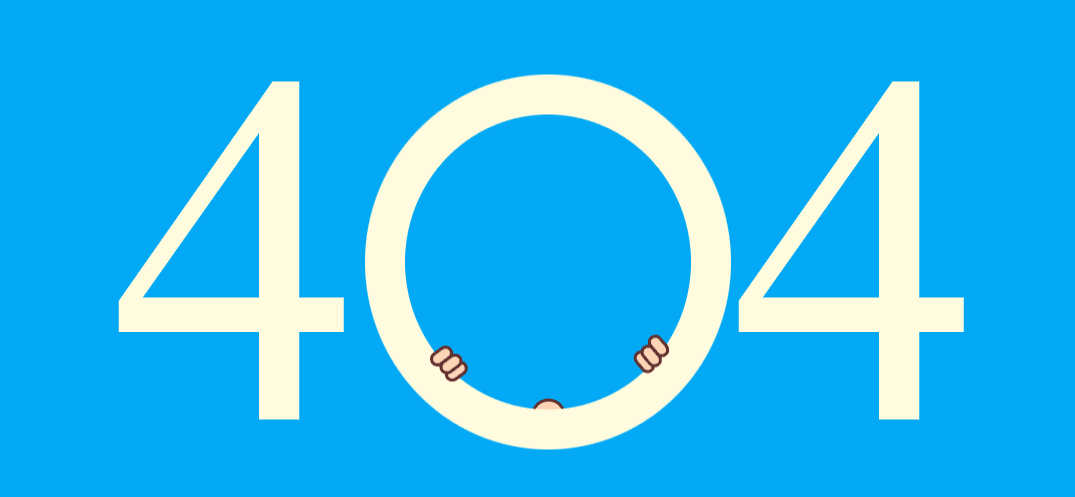
This project showcases a pure CSS animated 404 error page featuring a crying baby illustration placed between two large “4” digits to visually form 404.
The animation is entirely built using HTML and CSS, without any JavaScript.
Keyframe animations control facial expressions, mouth movement, floating motion, and animated tear drops to create a playful yet emotional “page not found” experience.
The design is ideal for creative portfolios, fun websites, or projects that want to turn an error page into an engaging visual moment.
💻** HTML Code**
HTML Explanation
The HTML structure is built entirely with nested div elements to construct the baby illustration:
The .numer spans create the “4 0 4” visual layout.
The .circle acts as the central frame for the animation.
The .bob element represents the baby’s head and body.
Facial features such as ears, nose, mouth, tongue, and neck are all constructed using CSS shapes.
.drops elements create animated tear drops.
.hand elements simulate crying hand gestures.
This semantic separation allows CSS to animate each part independently.
CSS Code
Copy *, *:after, *:before {
box-sizing: border-box;
}
body {
text-align : center;
background : #03a9f4 ;
}
.conatiner {
position : absolute;
left : 50% ;
top : 50% ;
transform : translate (- 50% , - 50% );
width : 900px ;
}
.circle {
border-radius : 50% ;
padding : 0 ;
display : inline-block;
position : relative;
height : 375px ;
}
.circle :after {
content: '' ;
position : absolute;
left : 0 ;
top : 0 ;
width : 100% ;
height : 100% ;
border : 40px solid #fffbdf ;
z-index : 50 ;
border-radius : 50% ;
}
.holder {
overflow : hidden;
width : 366px ;
height : 345px ;
border-radius : 50% ;
position : relative;
}
.bob {
position : absolute;
display : inline-block;
left : 50% ;
z-index : 10 ;
transform : translateX (- 50% );
-webkit- animation : 2s updown ease-in infinite;
animation : 2s updown ease-in infinite;
top : 100% ;
}
.bob .nose {
position : relative;
background : #fdd5b6 ;
border : 3px solid #602f2d ;
margin : 0 auto;
height : 35px ;
width : 35px ;
z-index : 15 ;
border-radius : 50% 50% 0 0 ;
top : 8px ;
}
.bob .nose :after {
content: '' ;
position : absolute;
left : 5px ;
top : 12px ;
height : 7px ;
width : 7px ;
border-radius : 50% ;
background : #602f2d ;
box-shadow : 13px 0 #602f2d ;
}
.bob .face {
width : 200px ;
height : 200px ;
background : #fdd5b6 ;
border : 3px solid #602f2d ;
border-radius : 50% ;
position : relative;
z-index : 50 ;
box-shadow : 15px 0 #f7c6a4 inset;
}
.bob .ear {
position : absolute;
background : #fdd5b6 ;
border : 3px solid #602f2d ;
width : 40px ;
height : 40px ;
border-radius : 50% ;
z-index : 15 ;
top : 115px ;
left : - 5px ;
}
.bob .ear :after, .bob .ear:before {
content: '' ;
position : absolute;
background : #602f2d ;
border-radius : 15px ;
height : 3px ;
width : 20px ;
top : 12px ;
left : 5px ;
}
.bob .ear :after {
transform: rotate ( 127deg );
width : 7px ;
top : 15px ;
left : 7px ;
}
.bob .ear .rgt {
left : auto;
right : - 5px ;
}
.bob .ear .rgt :after {
transform: rotate ( 47deg );
top : 15px ;
left : 18px ;
}
.bob .neck {
position : relative;
background : #fdd5b6 ;
border : 3px solid #602f2d ;
margin : 0 auto 0 ;
height : 50px ;
width : 70px ;
z-index : 15 ;
border-radius : 0 0 50% 50% ;
top : - 8px ;
box-shadow : 10px 0 #f7c6a4 inset;
}
.bob .mouth {
position : absolute;
border : 3px solid #602f2d ;
background : #ec7374 ;
width : 80% ;
height : 80% ;
left : 0 ;
top : 0 ;
bottom : 0 ;
right : 0 ;
margin : auto;
border-radius : 50% ;
overflow : hidden;
-webkit- animation : 1s openclose ease-in infinite;
animation : 1s openclose ease-in infinite;
}
.bob .mouth :after, .bob .mouth:before {
content: '' ;
position : absolute;
background : #cc5e64 ;
border : 5px solid #df6062 ;
border-radius : 50% ;
bottom : 0 ;
left : 0 ;
right : 0 ;
margin : auto;
width : 120px ;
height : 120px ;
z-index : 2 ;
}
.bob .mouth :after {
z-index: 10 ;
bottom : auto;
top : 25px ;
background : #ec7374 ;
height : 40px ;
width : 40px ;
border-top-color : transparent;
}
.bob .tongue {
position : absolute;
background : #602f2d ;
width : 40px ;
height : 40px ;
left : 0 ;
bottom : 5px ;
right : 0 ;
margin : auto;
border-radius : 50% ;
z-index : 5 ;
}
.bob .tongue :after, .bob .tongue:before {
content: '' ;
position : absolute;
background : #f9adba ;
border : 3px solid #602f2d ;
border-radius : 50px ;
top : 22px ;
left : - 4px ;
width : 30px ;
height : 40px ;
z-index : 2 ;
}
.bob .tongue :before {
left: 16px ;
}
.drops {
background : #8ecbf9 ;
border : 2px solid #602f2d ;
width : 20px ;
height : 20px ;
border-radius : 50px 50px 0 50px ;
position : absolute;
transform : rotate (- 15deg );
top : 150px ;
left : 70px ;
z-index : 100 ;
-webkit- animation : 2s drop-l ease-in infinite;
animation : 2s drop-l ease-in infinite;
}
.drops :nth-child ( 2 ) {
left : auto;
right : 70px ;
transform : rotate ( 145deg );
-webkit- animation : 2s drop-r ease-in infinite;
animation : 2s drop-r ease-in infinite;
}
.drops :after, .drops:before {
content: '' ;
background : #8ecbf9 ;
border : 2px solid #602f2d ;
width : 20px ;
height : 20px ;
border-radius : 50px 50px 0 50px ;
position : absolute;
transform : rotate (- 15deg );
top : 20px ;
left : - 25px ;
}
.drops :before {
top: - 30px ;
left : 0px ;
}
.hand {
border : 3px solid #602f2d ;
position : absolute;
z-index : 50 ;
background : #fdd5b6 ;
width : 25px ;
height : 15px ;
border-radius : 20px ;
bottom : 86px ;
z-index : 200 ;
left : 64px ;
transform : rotate (- 36deg );
}
.hand :after, .hand:before {
content: '' ;
border : 3px solid #602f2d ;
position : absolute;
z-index : 50 ;
background : #fdd5b6 ;
width : 25px ;
height : 15px ;
border-radius : 20px ;
z-index : 200 ;
top : 100% ;
left : 0 ;
}
.hand :before {
top: 200% ;
}
.rgt {
left : auto;
right : 60px ;
bottom : 96px ;
transform : rotate ( 50deg );
}
.numer {
font-size : 500px ;
display : inline-block;
color : #fffbdf ;
}
@-webkit-keyframes updown {
50% , 70% {
top : 25% ;
}
}
@keyframes updown {
50% , 70% {
top : 25% ;
}
}
@-webkit-keyframes openclose {
0% , 100% {
transform : scale ( 0.95 , 0.95 );
}
50% {
transform : scale ( 1.1 , 1.1 );
}
}
@keyframes openclose {
0% , 100% {
transform : scale ( 0.95 , 0.95 );
}
50% {
transform : scale ( 1.1 , 1.1 );
}
}
@-webkit-keyframes drop-l {
0% , 50% {
opacity : 0 ;
transform : translate ( 50px , 0 ) rotate (- 15deg );
}
55% {
opacity : 1 ;
transform : translate ( 0 , 0 ) rotate (- 15deg );
}
70% {
opacity : 1 ;
transform : translate (- 30px , 0 ) rotate (- 25deg );
}
85% {
opacity : 1 ;
transform : translate (- 50px , 100px ) rotate (- 90deg );
opacity : . 5 ;
}
86% , 100% {
opacity : 0 ;
}
}
@keyframes drop-l {
0% , 50% {
opacity : 0 ;
transform : translate ( 50px , 0 ) rotate (- 15deg );
}
55% {
opacity : 1 ;
transform : translate ( 0 , 0 ) rotate (- 15deg );
}
70% {
opacity : 1 ;
transform : translate (- 30px , 0 ) rotate (- 25deg );
}
85% {
opacity : 1 ;
transform : translate (- 50px , 100px ) rotate (- 90deg );
opacity : . 5 ;
}
86% , 100% {
opacity : 0 ;
}
}
@-webkit-keyframes drop-r {
0% , 50% {
opacity : 0 ;
transform : translate (- 50px , 0 ) rotate ( 145deg );
}
55% {
opacity : 1 ;
transform : translate ( 0 , 0 ) rotate ( 145deg );
}
70% {
opacity : 1 ;
transform : translate ( 30px , 0 ) rotate ( 160deg );
}
85% {
opacity : 1 ;
transform : translate ( 50px , 100px ) rotate ( 180deg );
opacity : . 5 ;
}
86% , 100% {
opacity : 0 ;
}
}
@keyframes drop-r {
0% , 50% {
opacity : 0 ;
transform : translate (- 50px , 0 ) rotate ( 145deg );
}
55% {
opacity : 1 ;
transform : translate ( 0 , 0 ) rotate ( 145deg );
}
70% {
opacity : 1 ;
transform : translate ( 30px , 0 ) rotate ( 160deg );
}
85% {
opacity : 1 ;
transform : translate ( 50px , 100px ) rotate ( 180deg );
opacity : . 5 ;
}
86% , 100% {
opacity : 0 ;
}
}
This CSS file is the heart of the animation and illustration.
How it works:
CSS Shapes & Positioning
Every facial feature is drawn using border-radius, borders, and background colors.
Absolute positioning allows precise control over each element.
Floating Motion
The @keyframes updown animation moves the baby vertically to simulate crying movement.
Mouth Animation
The openclose animation scales the mouth to mimic crying and shouting.
Tear Drop Animation
drop-l and drop-r keyframes animate tear drops falling diagonally with fading opacity.
Layering & Depth
Strategic z-index usage ensures proper overlap of hands, face, tears, and frame.
The entire illustration behaves like a vector animation — no images, no SVGs, no JavaScript.