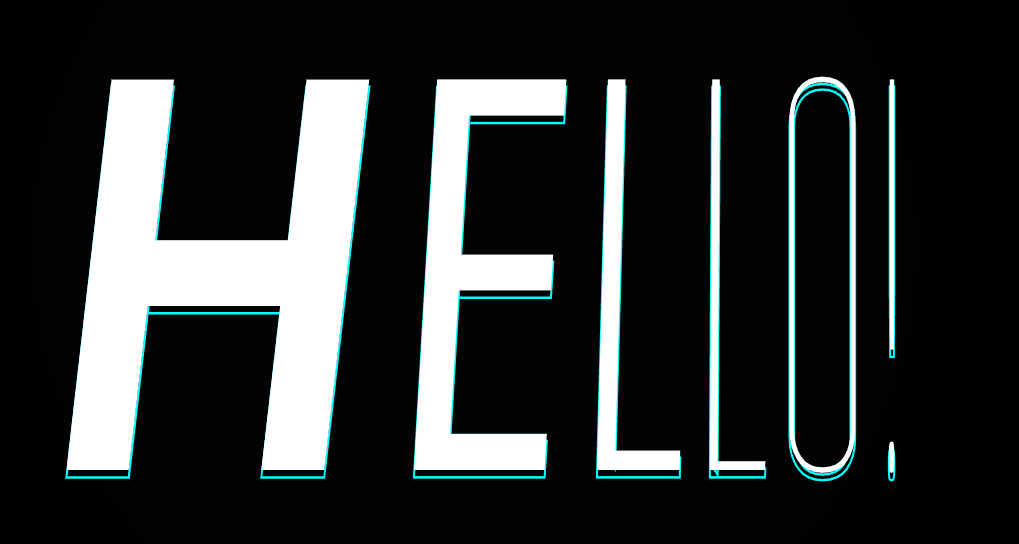
Description
Create an eye-catching “Text Pressure” animation using pure JavaScript, CSS, and variable fonts. This effect dynamically adjusts font weight, width, and italics based on mouse movement, giving the illusion of text responding to user interaction. No external libraries required — just HTML, CSS, and JavaScript. Perfect for interactive web headers, hero sections, and modern typography experiments.
Html Code
The HTML sets up a minimal structure:
A container (.text-container) centers the animated text.
The (h1) tag (#textPressure) holds the animated letters, which are generated dynamically by JavaScript.
External CSS (style.css) and JS (script.js) files handle the styling and animation logic.
Css Code
Key parts of the CSS:
Custom Font (@font-face) Loads CompressaVF, a variable font that supports width (wdth), weight (wght), and italic (ital) variations.
Background & Centering: The background uses a dark radial gradient, and Flexbox centers the text in the viewport.
Text Styling: Each character can be given a glowing stroke outline
This adds a cyberpunk-style neon glow beneath each letter.
Responsive Scaling: The font-size uses viewport width (8vw) for scalability across devices.
Javascript code
The config object defines customizable parameters You can easily change the displayed text, font style, or animation behavior here. Dynamic Text Creation Each letter of "Hello!" is split and wrapped in a
Responsive Font Resizing
The setSize() function ensures that text resizes proportionally with the window size Text Pressure Effect
The animate() function calculates how far each character is from the cursor and changes its variable font attributes Continuous Animation
requestAnimationFrame(animate); ensures a smooth and efficient animation loop, running at 60fps.