🧠 Description
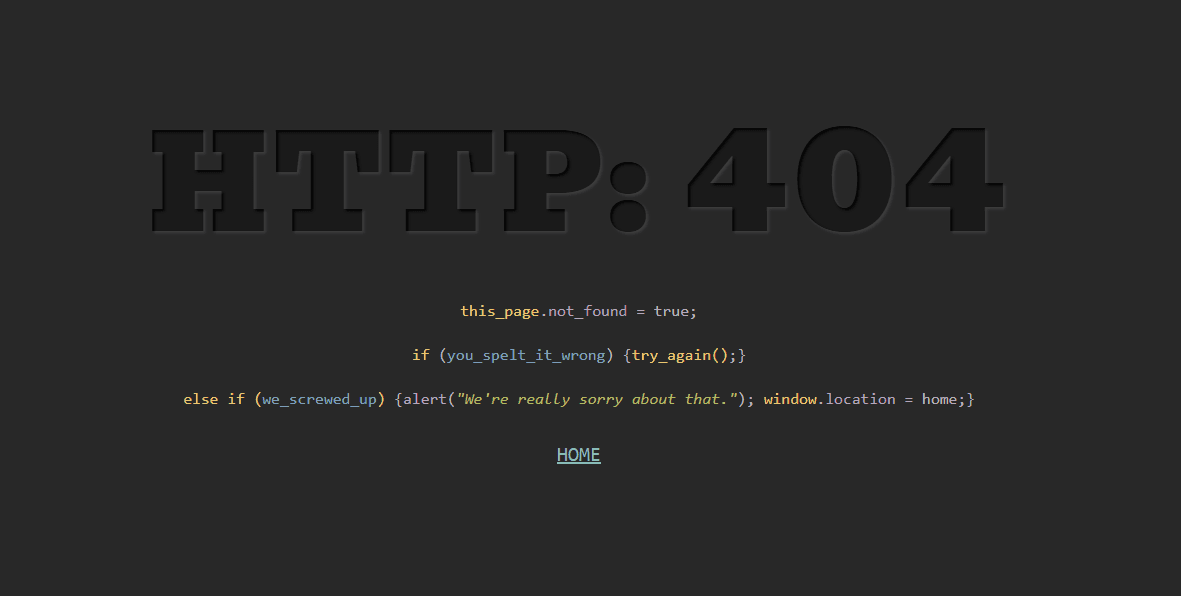
This project showcases a creative 404 error page designed to look like a code editor or console output, built using HTML, CSS, and JavaScript. The page humorously displays an error message in the form of code syntax, giving it a developer-themed look — perfect for portfolios or tech-related websites. A smooth typing animation simulates the code being typed line-by-line, enhancing interactivity and engagement. The combination of monospace fonts, syntax highlighting, and animation makes it a visually appealing and modern 404 error design.
💻 HTML Code
The HTML provides the base structure of the 404 error page.
The "p" tag displays the main error message: HTTP: 404.
Multiple "code" elements mimic programming code lines, such as variable declarations and conditional statements, to give a developer-console vibe.
Syntax-like elements such as "span," "em", "b", and "i "are used to represent keywords, variables, and strings — styled differently using CSS for code highlighting.
A "center HOME center" element acts as a navigation link back to the homepage.
The HTML structure is minimal and relies on CSS and JavaScript for styling and animation effects.
CSS Code
The CSS styles the page to resemble a dark code editor with syntax highlighting.
The body background is set to a dark gray #282828, matching the look of coding terminals.
The p tag (HTTP 404 message) uses a large bold Bevan font and a text shadow to give a glowing, embossed text effect.
The code tags display code lines in a monospaced font, with different colors for syntax elements:
span for yellow keywords
em for purple functions
i for green text
b for blue variables
The “HOME” link is styled with a light blue color and monospace font to blend with the code theme.
Responsive design ensures the text scales properly on smaller screens. Overall, the CSS turns a standard 404 message into a beautifully coded aesthetic.
Javascipt Code
The JavaScript adds the typing animation effect to the (code) elements.
The type() function takes two parameters:
n: which line of code to animate
t: the delay before animation starts
It retrieves the content of a specific (code) tag, clears it, and then uses setInterval to gradually reveal each character one by one — creating a typewriter animation.
Once typing is complete, it removes the blinking cursor (“|”) and displays the full line.
The function is called three times with different delays (0ms, 600ms, 1300ms) to make each code line appear sequentially. This creates a realistic typing effect, giving the illusion that the code is being written live on the screen.