🧠 Description
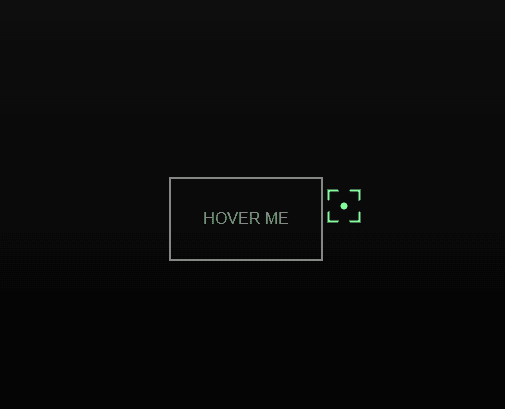
This project demonstrates a creative magnetic button hover effect built using HTML, CSS, and GSAP (GreenSock Animation Platform). The design replaces the default cursor with a custom animated cursor that dynamically reacts when hovering over a target button. As the user moves their mouse, the cursor smoothly follows the movement, rotates continuously, and expands or contracts based on hover interactions — creating a magnetic attraction effect. This effect enhances UI interactivity, making it perfect for modern websites, portfolios, and creative interfaces where smooth animations improve user engagement.
💻 HTML Code
The HTML defines the basic structure of the animation. It includes:
Two divs (#cursor and #cursorPt) that act as the custom cursor elements.
A third div (#target) labeled “Hover me”, which serves as the interactive button. The GSAP library is imported via CDN to handle all motion and animation logic. Finally, an external CSS and JavaScript file are linked to style and animate the elements respectively. In short, the HTML provides the skeleton for the visual and interactive components.
CSS Code
The CSS styles the page and defines the cursor visuals and hover behavior.
The body is styled with a dark gradient background, full-screen layout (height: 100vh), and cursor: none to hide the default cursor.
#cursorPt creates a small circular dot that precisely follows the mouse pointer.
#cursor forms the animated magnetic frame, styled with multiple linear gradients to give a neon-border-like look.
Both cursors are set to position: fixed and pointer-events: none to ensure smooth movement without blocking interactions.
The #target button is centered using Flexbox, styled with a gray border, and changes color on hover for visual feedback. Overall, the CSS defines the sleek, futuristic look and positioning of all visual elements.
Javascipt Code
The JavaScript file (using GSAP) controls the animations and cursor interactions. Here’s how it works:
It captures references to #cursor, #cursorPt, and #target.
A continuous rotation animation is started using gsap.to() to rotate the cursor frame infinitely.
On mousemove, both cursor elements (cursor and cursorPt) follow the mouse coordinates smoothly using GSAP transitions, making movement feel natural.
When the mouse enters the target button, the cursor expands to match the button’s size, rotation stops, and a subtle animation enlarges the frame — simulating a magnetic pull.
During movement inside the target, the cursor slightly follows the mouse direction inside the button using offset calculations.
When the mouse leaves the target, the cursor returns to its original size with an elastic animation and resumes rotation. These combined animations create a highly interactive and magnetic cursor effect, powered entirely by GSAP’s smooth motion engine.